Module 2: Explore the application platform
Before you build the developer portal, you need to understand the cloud-native tools that Parasol is adopting using OpenShift. OpenShift is more than a container runtime — it’s an application platform with integrated CI/CD, GitOps, Cloud Development Environments (CDE), and secrets management. These capabilities form the foundation of your own internal developer platform.
In this module, you will log into the OpenShift console and Argo CD to see what’s available and understand how the infrastructure is managed.
Learning objectives
By the end of this module, you will be able to:
-
Identify the pre-installed operators that provide application platform capabilities
-
Log into Argo CD and understand the app-of-apps deployment pattern and it’s use of RBAC
-
View CI Pipelines in OpenShift and understand that they run as Pods
Exercise 1: Explore OpenShift
The OpenShift cluster has been pre-configured with operators that provide the building blocks for your IDP. You don’t need to install any of these during the workshop — they’re ready to use. Your job as the platform engineer is to use them to create a functional internal developer platform.
| These specific tools are used in this workshop, but the concepts apply regardless of your CI/CD, GitOps, or secrets management provider. |
-
Open the OCP Console tab, select the developers option, and log in with your credentials:
-
Username:
pe1 -
Password:
{common_password}
-
-
Navigate to Ecosystem > Installed Operators using the left-hand menu and verify the following are installed:
The Installed Operators page can take a moment to discover and list every Operator. -
Red Hat OpenShift GitOps — Argo CD for declarative deployments
-
Red Hat OpenShift Pipelines — Tekton for CI/CD pipelines
-
Red Hat OpenShift Dev Spaces — Cloud development workspaces
-
Red Hat Developer Hub — The Backstage-based developer portal you will configure
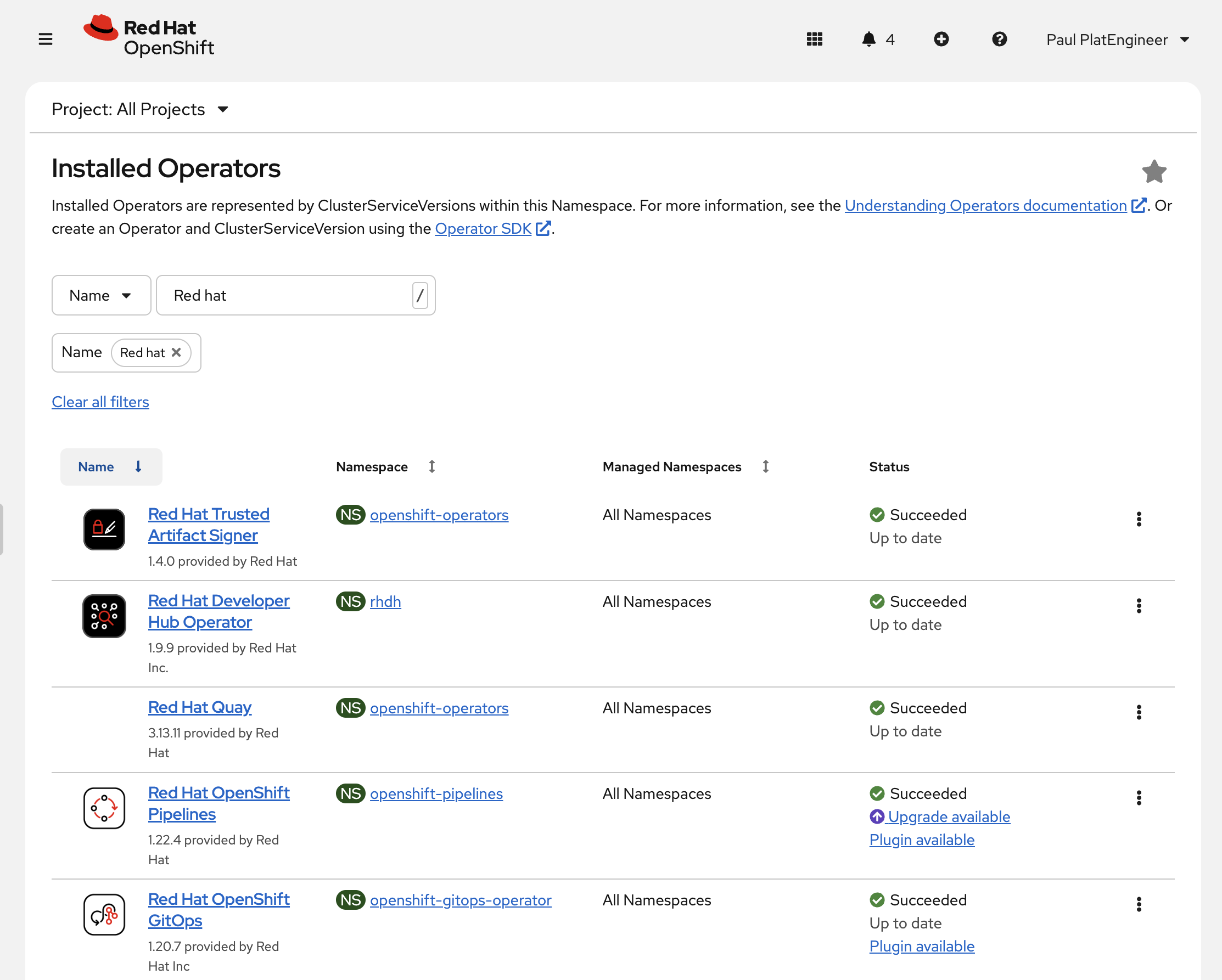 Figure 1. Red Hat Operators list in the OpenShift Web Console
-
-
Note the other operators present on the cluster. These provide additional platform capabilities:
-
Red Hat Quay — Container image registry
-
External Secrets Operator — Syncs secrets from Vault to Kubernetes
-
Streams for Apache Kafka — Deploy and manage Apache Kafka clusters
-
Exercise 2: Login and Explore Argo CD
Argo CD manages the cluster infrastructure using a pattern called app-of-apps — a single parent Application that deploys and manages all the child Applications (GitLab, Keycloak, Vault, Pipelines, and more). You will use this same pattern to manage your Developer Hub configuration.
-
Select the Argo CD tab on the right
-
Log in using the Log in via OpenShift button, and selecting the developers identity provider.
-
Username:
pe1 -
Password:
{common_password}You may need to authorise access when prompted.
-
-
Once logged in, explore the Applications view. You will see the infrastructure apps that were deployed by the workshop environment:
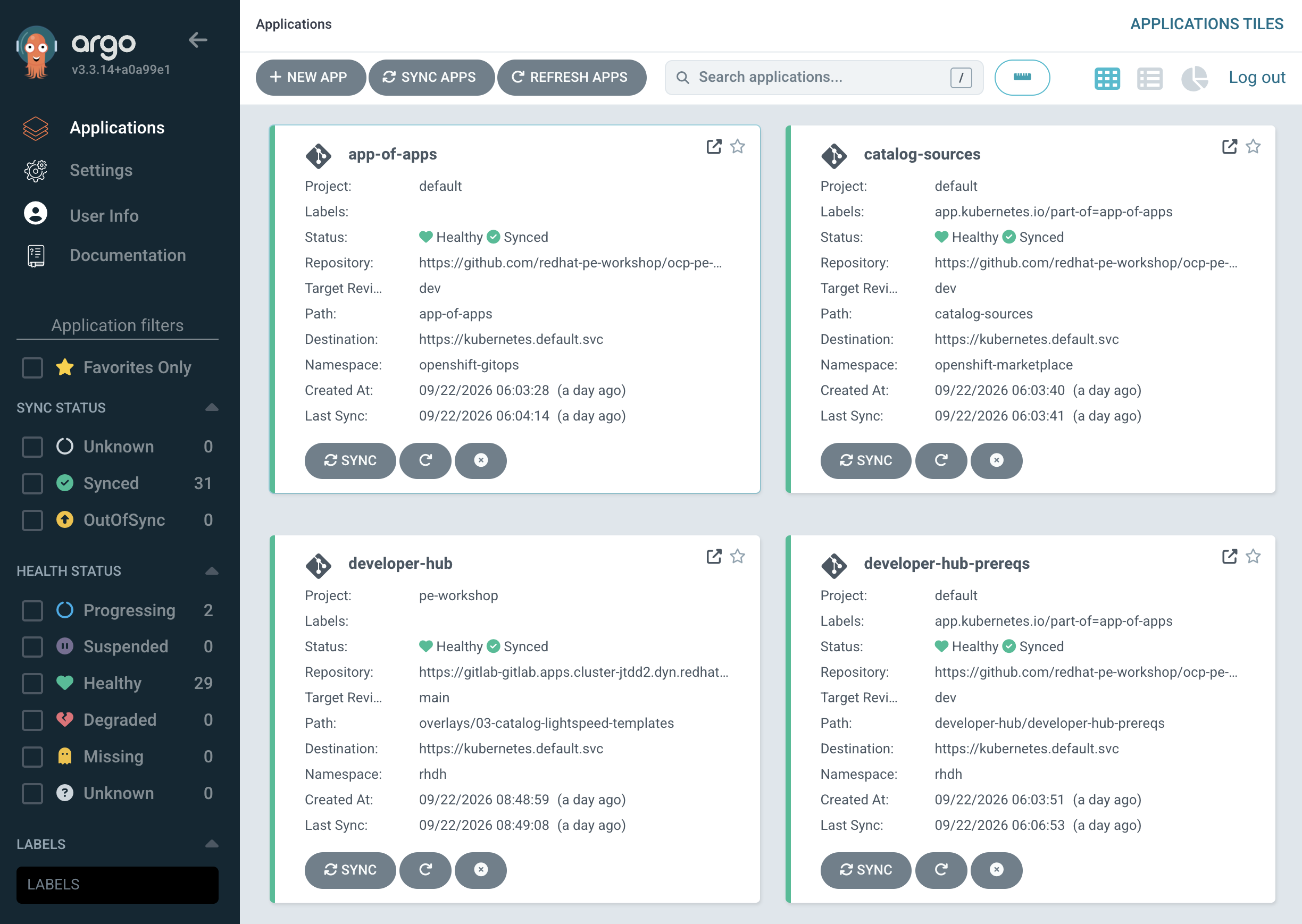 Figure 2. Application configurations in the Argo CD UI
-
app-of-apps— The parent Application -
gitlab,keycloak,vault,quay— Supporting services -
developer-hub-prereqs— The Developer Hub operator subscription
-
-
Search for
app-of-apps, then click theapp-of-appsto see the dependency graph. This shows how all of the workshop’s underlying infrastructure components are orchestrated for you.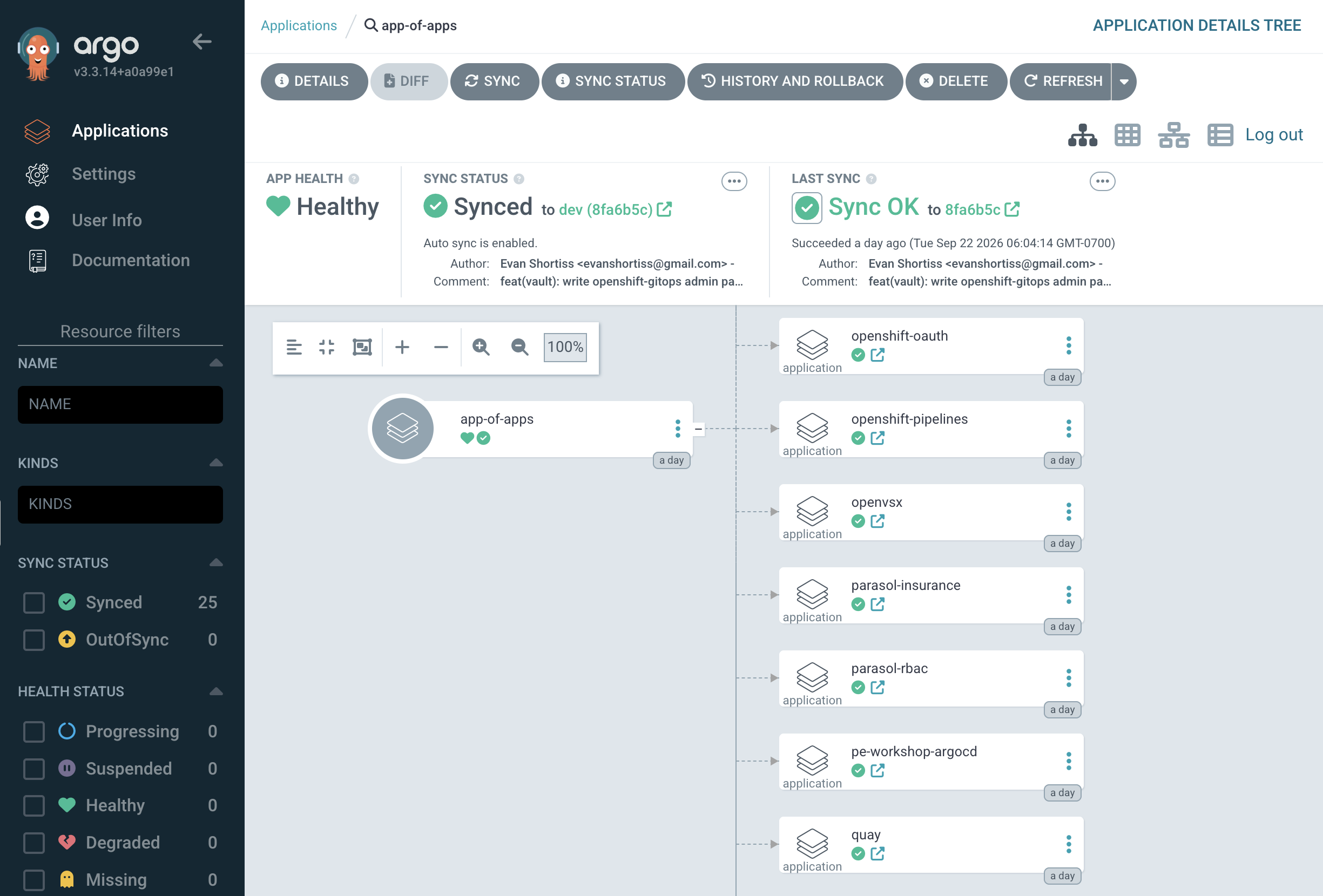 Figure 3. The app-of-apps in Argo CD - this is managing your lab environment
You have read-only access to the defaultproject in Argo CD. You can view but not modify any infrastructure Applications that we’ve pre-deployed. By letting you view these, you can see that we’re not just telling you to use GitOps — we use it too! -
Click Settings > Projects in the left sidebar.
You should see the pe-workshop and developer-apps projects. The former is the GitOps Project you will use to manage your Developer Hub and other deployments in future modules, and the latter will manage applications created by developers in your organization. Each application has unique RBAC permissions assigned to users/groups based on their roles, e.g platform engineer or developer.
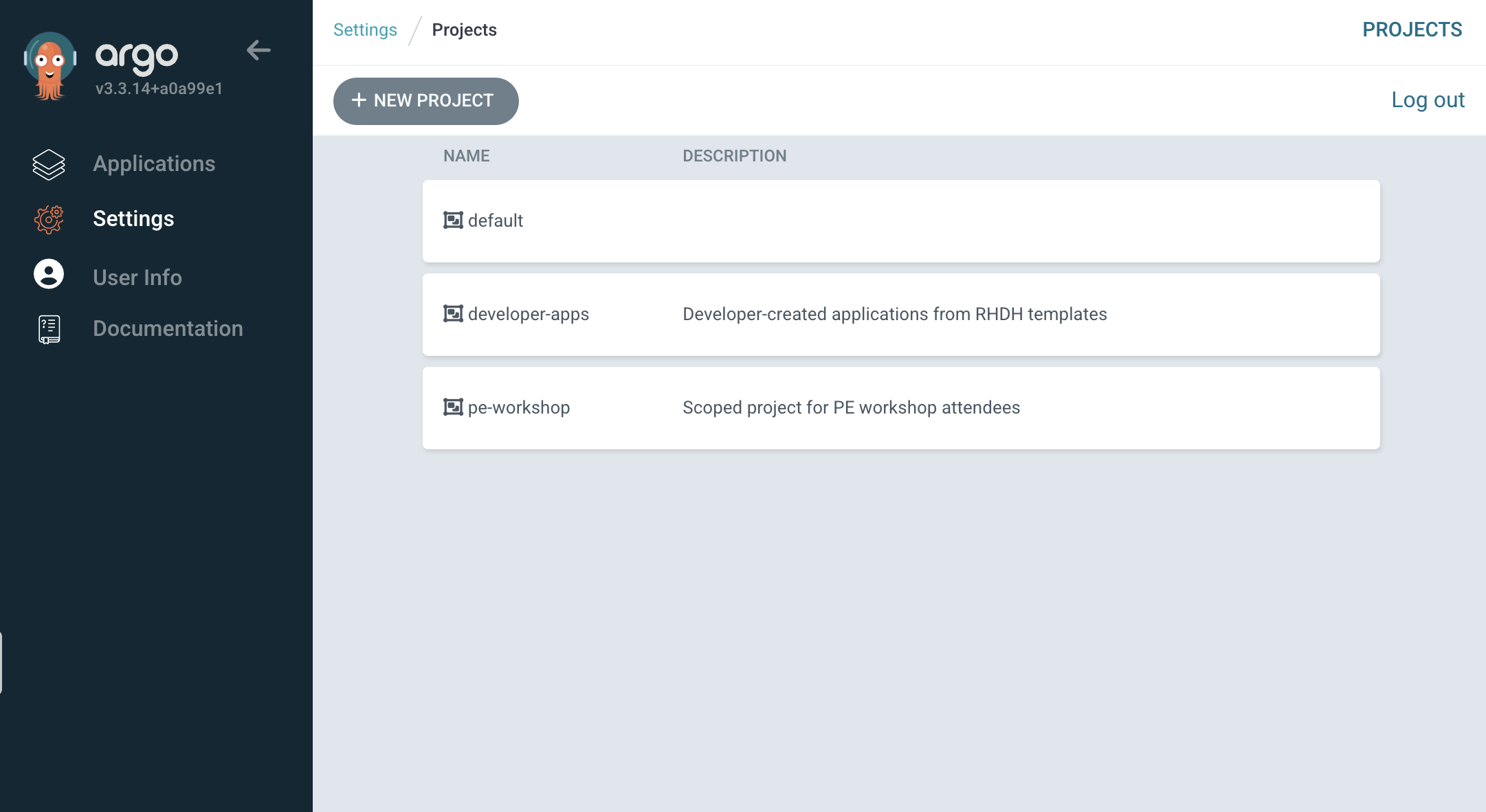 Figure 4. AppProject resources, as seen in the Argo CD UI
Exercise 3: Inspect Pipelines
Parasol has already started migrating to OpenShift Pipelines (based on Tekton) for their CI needs. Let’s inspect one of their existing pipelines to see what’s already running.
-
Return to the OCP Console tab
-
Select Pipelines > Pipelines from the left navigation menu
-
Use the Project dropdown to select parasol-insurance-build
-
In the Pipelines list, locate the parasol-insurance-tag pipeline, then click the link in the Last Run column to view the most recent execution
This pipeline demonstrates Tekton’s cloud-native approach to CI/CD. Each task runs in its own container, and the pipeline is defined as Kubernetes custom resources rather than scripted configuration. In later modules, you will see how software templates can generate similar pipelines automatically for new applications — complete with security scanning, SBOM generation, and GitOps integration.
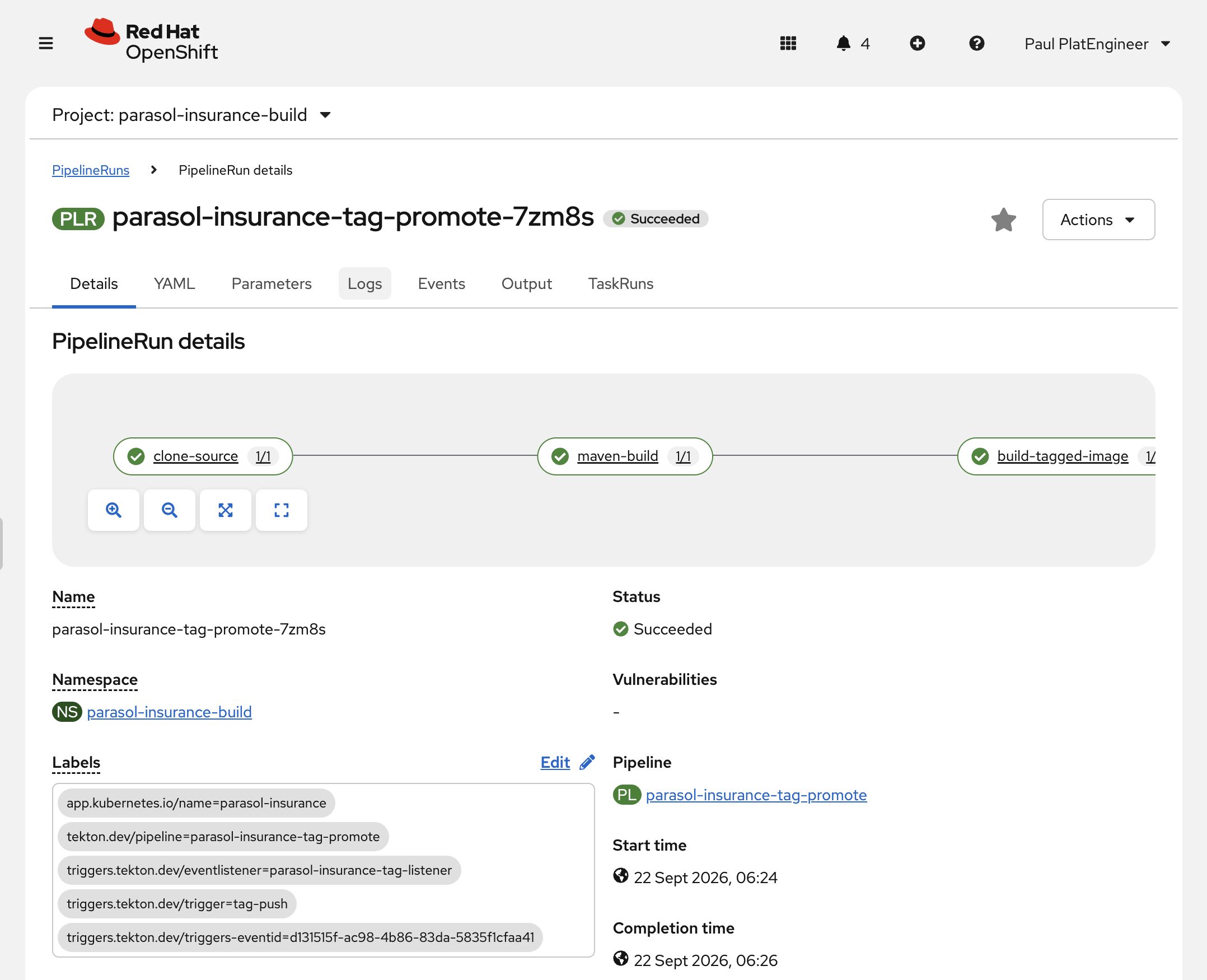 Figure 5. A PipelineRun for the parasol-insurance application, in the OpenShift Web Console
The team working on parasol-insurance were first to migrate to OpenShift Pipelines and OpenShift GitOps-based deployments. Future applications will build on their example, as you will see in later modules when you craft a golden-path for new applications to follow the same template.
Module summary
You’ve explored the application platform capabilities available on the cluster and logged into Argo CD with your scoped access.
What you observed:
-
OpenShift provides integrated operators for GitOps, Pipelines, DevSpaces, and more
-
Argo CD manages the entire infrastructure using the app-of-apps pattern
-
Your
pe1user has read-only access to infrastructure and write access to thepe-workshopproject -
The building blocks are in place — now you need to wire them together through Developer Hub
Next steps:
In Module 3, you will deploy your first Developer Hub instance using Argo CD and the pe-workshop project.